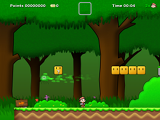
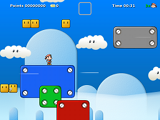
After researching the web for open-source or free games that I can try and share with you guys, I ended up thinking "what if I start making my very own game so that I can share it with my readers?". Then, of course who to call but "Mr. Google". I typed "free game creator" and spoof!!! Construct appeared!!!
As of writing this post, I haven't tried using Construct yet because I'm still downloading the installer. Unfortunately and as far as I know, it is only currently available for Windows. Good thing that my personal computer was "dually booted" so I get the best of both "OS" worlds.
File size of the installer is 15MegaBytes so it should be completed in no time.
Though I am not yet able to try the program, based on their website, I have listed the features of Construct
(see the original article at http://www.scirra.com/construct/):
Construct is a free, DirectX 9 game creator for Windows, designed for 2D games. It uses an event based system for defining how the game behaves, in a
visual, human-readable way -
you don't need to program or script anything at all. It's intuitive for beginners, but powerful enough for advanced users to work without hindrance. Been disappointed by logic blocks or events in other programs? Wait until you try Construct.
Construct is not a commercial software project, instead being
developed by volunteers. It is free to download the full version - no nag screens, adverts or restricted features, just the complete program for free. Construct is licensed under the
GPL.
 Indie game designers and hobbyists
 can use Construct to enter the world of game creation.
Artists can produce games without having to use any programming.
Teachers and students can use Construct to teach the principles of logic in a fun way.
Developers can use it to rapidly create mockups and prototypes — or simply as a faster alternative to coding. Whoever you are, Construct has many features to help you.
Interface
Construct uses a ribbon interface for easy access to commands. The layout of the interface is fully customisable, so you can arrange it as you want. The layout editor provides a visual, what-you-see-is-what-you-get view of the level. Objects can be arranged on to
layers.
Find out more about the interface
 Event sheets
Events, put simply, are lists of conditions, followed by a list of actions to be run when those conditions are met. However, they go a lot further than that. Events are logic blocks that work.
Find out more about Construct's event system
 Plugins & behaviors
Construct's plugin architecture means objects can be written by independent C++ developers, allowing unlimited expansion of Construct's capabilities. Behaviors are a way to give instant capabilities to an object, such as a platform movement, enabling line-of-sight, or even realistic physics simulations.
Read more about Plugins & Behaviors
Effects & rendering
When you run your created game, the rendering is
hardware-accelerated using DirectX, giving optimal performance by utilising the graphics card. This also allows you to use
pixel shaders on objects, for advanced rendering effects.
Read more about Construct's rendering
Watch out for my originally-made games coming very soon, ha ha ha...