Saturday, September 25, 2010

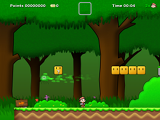
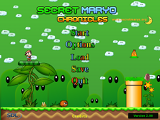
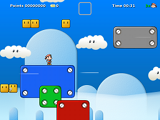
Secret Maryo Chronicles

No, it's not a wrong spelling in the title, it's really "Secret MARYO Chronicles", and it's this week's featured open-source game.

It's a clone of the original family computer game Super Mario Brothers but with a better graphics and music.  The lead character is also different, well, it's now "Maryo" and all the other characters are different. Well it's Mario but it's not...


Screenshots:


SEE MORE SCREENSHOTS

System Requirements:

Minimum:
Processor: 500 MHz
Video Card: 64 MB OpenGL Compatible 3D Accelerated Graphics Card
RAM: 256MB
800x600 Screen Resolution
16 Bit Color Display
Keyboard + Mouse

Recommended:
Processor: 1 GHz
Video Card: 128 MB OpenGL Compatible 3D Accelerated Graphics Card
RAM: 512MB
Sound Card
1024x768 Screen Resolution
24 Bit True Color Display
Joypad

This game is available for download for Windows, Mac and Linux

Note:  Background Music File will have to be downloaded and installed separately.

CLICK HERE TO GO TO THE OFFICIAL WEBSITE

CLICK HERE TO GO DIRECTLY TO THE DOWNLOAD PAGE

Saturday, September 18, 2010

Cut It!

For this week's featured downloadable game, "CUT IT!", a game developed by Petri Purho.  Petri Purho is from Helsinki, Finland.  He is inclined in developing games, which also include board games, strategy games etc.  He maintains his own website featuring his personally developed games "kloonigames.com".

The object of the game is very simple, that is to get the white box onto the green platform.  You can cut any object in the game by dragging your mouse across the screen.  Cut the other colored platforms to make the white box fall or slide onto the green platform.  You have to make the white box stay above the green platform for more than one (1) second to advance to the next level.  There are twelve (12) exciting levels you can play.

Though simple, it can definitely work that brain out!  STRESS? CUT IT!!!


To know more about this game, you may want to consider visiting kloonigames.com for more games developed by Petri Purho.


DIRECT DOWNLOAD LINKS:

Installation instruction:

Actually, based on my own experience, no installation is required.  You just have to extract the zip file, and save it somewhere like in "My Documents" then look for the ".exe" file, right click on the file and send to desktop.  You can now play the game by double-clicking the shortcut icon in the desktop.  To uninstall it, just erase the folder in your computer and erase the shorcut icon in the desktop.  Enjoy!

Friday, September 17, 2010

Construct - A Free Game Creator


After researching the web for open-source or free games that I can try and share with you guys, I ended up thinking "what if I start making my very own game so that I can share it with my readers?".  Then, of course who to call but "Mr. Google".  I typed "free game creator" and spoof!!!  Construct appeared!!!

As of writing this post, I haven't tried using Construct yet because I'm still downloading the installer.  Unfortunately and as far as I know, it is only currently available for Windows.  Good thing that my personal computer was "dually booted" so I get the best of both "OS" worlds.

File size of the installer is 15MegaBytes so it should be completed in no time.

Though I am not yet able to try the program, based on their website, I have listed the features of Construct (see the original article at http://www.scirra.com/construct/):

Construct is a free, DirectX 9 game creator for Windows, designed for 2D games. It uses an event based system for defining how the game behaves, in a visual, human-readable way - you don't need to program or script anything at all. It's intuitive for beginners, but powerful enough for advanced users to work without hindrance. Been disappointed by logic blocks or events in other programs? Wait until you try Construct.
Construct is not a commercial software project, instead being developed by volunteers. It is free to download the full version - no nag screens, adverts or restricted features, just the complete program for free. Construct is licensed under the GPL.
Indie game designers and hobbyists can use Construct to enter the world of game creation. Artists can produce games without having to use any programming. Teachers and students can use Construct to teach the principles of logic in a fun way. Developers can use it to rapidly create mockups and prototypes — or simply as a faster alternative to coding. Whoever you are, Construct has many features to help you.
Interface
Construct uses a ribbon interface for easy access to commands. The layout of the interface is fully customisable, so you can arrange it as you want. The layout editor provides a visual, what-you-see-is-what-you-get view of the level. Objects can be arranged on to layers. Find out more about the interface

Event sheets
Events, put simply, are lists of conditions, followed by a list of actions to be run when those conditions are met. However, they go a lot further than that. Events are logic blocks that work. Find out more about Construct's event system

Plugins & behaviors
Construct's plugin architecture means objects can be written by independent C++ developers, allowing unlimited expansion of Construct's capabilities. Behaviors are a way to give instant capabilities to an object, such as a platform movement, enabling line-of-sight, or even realistic physics simulations. Read more about Plugins & Behaviors

Effects & rendering
When you run your created game, the rendering is hardware-accelerated using DirectX, giving optimal performance by utilising the graphics card. This also allows you to use pixel shaders on objects, for advanced rendering effects. Read more about Construct's rendering

Watch out for my originally-made games coming very soon, ha ha ha...


Monday, September 13, 2010

Frozen Bubble

In Frozen Bubble, the objective of the game is to pop-up the bubbles by hitting it with bubbles of the same color until all the bubbles above are gone.  You control the penguin which in turns control the apparatus for popping out the bubbles.

Colorful 3D rendered penguin animations, 100 levels of 1p game, hours and hours of 2p game, nights and nights of 2p/3p/4p/5p game over LAN or Internet, a level-editor, 3 professional quality digital soundtracks, 15 stereo sound effects, 8 unique graphical transition effects, 8 unique logo eye-candies.
You really need this game.


Copyright (c) 2000-2010 The Frozen-Bubble Team
This program is free software; you can redistribute it and/or modify it under the terms of the GNU General Public License version 2, as published by the Free Software Foundation.
This program is distributed in the hope that it will be useful, but WITHOUT ANY WARRANTY; without even the implied warranty of MERCHANTABILITY or FITNESS FOR A PARTICULAR PURPOSE. See the GNU General Public License for more details.

 Credits:
Guillaume Cottenceau: design & programming
Alexis Younes (Ayo73): graphics & website design
Kim and David Joham: level editor
Amaury Amblard-Ladurantie: website coding & graphics support
Originally sponsored by Mandriva.


DOWNLOAD LINKS:
For Ubuntu users just type Frozen Bubble in the Ubuntu Software Center and click install.
For all other Operating system (download and installation page)

NEXT POST:  TABLE TENNIS PRO from GRASSGAMES.COM 

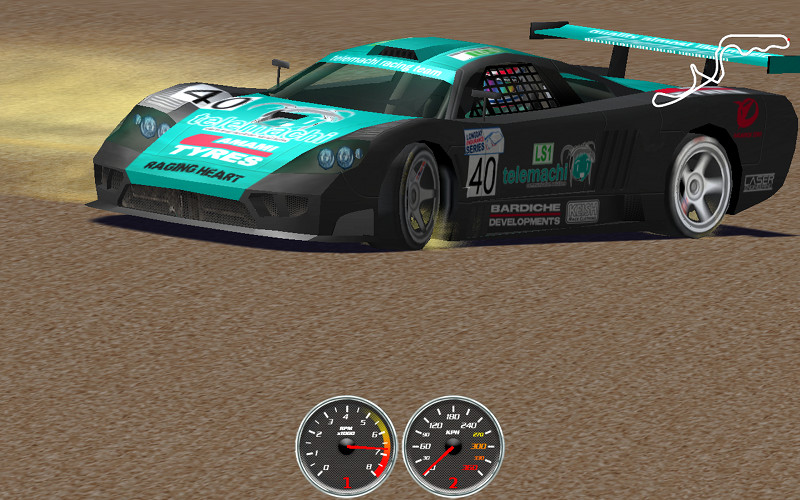
Speed Dreams

 Speed Dreams is a fork of the famous Open Racing Car Simulator TORCS. It mainly aims to implement exciting new features, cars, tracks and AI opponents to make a more enjoyable game for the player, while constantly improving visual and physics realism(Source:  http://sourceforge.net/projects/speed-dreams)
In other words, Speed Dreams is the place:
  • where developers can try their ideas and have every chance to get them released to the end-users (democracy is the main principle ruling the dev team),
  • where end-users can enjoy the completion of these ideas and give their opinion about it, and/or make new suggestions.
So, if you find your or some people's Torcs patch proposals don't integrate the official release as quickly as you would have loved, you have reached the right place !

Preview:

CREDITS:
VISIT THE OFFICIAL WEB PAGE http://www.spead-dreams.org

DOWNLOAD LINKS:
FOR UBUNTU LINUX


Play Filipino-made On-line games at HALOHALOSPECIAL.COM

Sunday, September 12, 2010

Nexuiz

Nexuiz is a 3d deathmatch game that has been in development since the summer of 2002. The goal of the project is to create a high quality first person shooter that can be played freely across all platforms in one package: PC, Mac, and can be even included in Linux distributions. The game is entirely open source, with the sources of the engine, gamecode, map files, and compiling tools, all included with the download, all under the GPL license.
The gameplay is deathmatch with the most excessive possible speeds and weapons, giving incredibly intense fast paced action. Along with deathmatch, there are multiple gamemodes such as team deathmatch, capture the flag, domination, and many mutators and weapon options like rocket arena and instagib. The user can fight through the single player campaign, going through over 20 levels, or play online with our server browser.
Nexuiz is based on the Darkplaces engine, built on OpenGL technology. The darkplaces engine is an advanced Quake1 based engine developed mainly by Forest "LordHavoc" Hale, who has been working with the Quake1 engine for many years. A few of Darkplaces main features are Quake3bsp support, realtime lighting and shadowing, new particle effects, advanced menu system, and Md3 model support. (Source:  Official website http://www.alientrap.org/nexuiz)


DOWNLOAD LINKS:
WINDOWS (in ZIP file)

Frets on Fire

Frets on Fire was created as an entry to the Assembly 2006 Game Development Competition by Unreal Voodoo.  It placed first on the competition.


Frets on Fire is a video game that imitates the commercial game Guitar Hero. It is playable on Windows, Linux and Mac OS X. The player presses buttons in time to coloured markers, which appear on-screen, the markers are matched with the rhythm of the music. Frets on Fire can be played by using a keyboard by pressing the fret buttons and pick buttons, although there is support for joysticks, meaning that with the appropriate adapter and/or software, various guitar-type controllers can be used as well.
Coloured square-shaped markers appear on the player's screen, synchronized with the song and are played by holding the fret buttons that correspond with the correct colour and pressing one of the pick button at the correct moment. Every ten correct hits increase the score multiplier, which multiplies the points for every hit by up to four times. The multiplier is reset when the player misses a note or strums at the wrong time. As a free, open source game, it has not received as much attention from mainstream review sites, but many niche game sites as well as open source game review sites have discussed it, averaging between 7 and 8 out of 10. Gamespot's user ratings give the game an 8.1 as of November 2008 (Source:  Wikipedia)

Credits go out to the following original team members:
Game Design, Programming
Sami Kyöstilä
Music, Sound Effects
Tommi Inkilä
Graphics
Joonas Kerttula Jürgen
Mikko Korkiakoski
VISIT THE OFFICIAL WEBSITE
DOWNLOAD LINKS:
FOR WINDOWS
FOR LINUX
FOR MAC

Never Ball


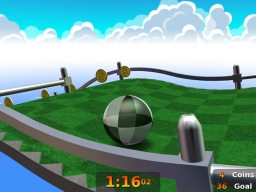
For my first post, let me introduce you to a free game called NEVERBALL.  It is cute game where you control the ball to gain coins and ultimately reach the goal.  You will control the movement of the ball by moving the mouse in order for the floor to tilt to one side or to the other side.  You can also click the left mouse button to rotate the camera clockwise sideways or the right mouse button to rotate to the other way.  This game includes the following options:  Replay:  you can watch the moves you have made to finish a level; Help:  where you can find the game's objective, controls, mode and techniques; the Options where you can set the settings for the following:  turn the full screen option "on" or "off", resolution, where you can set the game's resolution to 11 screen options, other screen options such as textures, geometry, reflection, background and shadow to "on" or "off" mode and of course the sound and music volume.  It offers six (6) level difficulties and twenty (20) sublevels for each difficulties.
Neverball comes with an additional miniature golf companion game using the same physics, called Neverputt which comes with 3 course packs ranging from Easy to Hard. The 1.4.0 release of Neverball removed the ability to play Neverputt holes as levels inside Neverball.
NEVERBALL and NEVERPUTT can be installed and played on LINUX (tar.gz) (see "LINUX" page of this blog on how to play .exe installer on LINUX), WINDOWS (.exe) and MAC OSX (.dmg)

If ever you will install and play this game, please feel free to leave your comments below.  Thanks.

NEVERBALL on WIKIPEDIA:
The main gameplay of Neverball is based on moving a ball using gravity by tilting the game world, not directly controlling the ball (it is somewhat similar to the game Labyrinth without the holes in the middle). The mouse (or a similar pointing device), keyboard, or joystick tilt the level to help guide the ball to a goal, via an obstacle course, with a set time limit. Moving platforms and other crazy objects get in the way, making levels progressively harder. To unlock the goal on each level, the player must collect a required amount of coins. Coins come in three different colors: yellow, red and blue. Yellow coins are worth 1, red are worth 5 and blue are worth 10 coins or points. Collecting 100 coins in "Challenge Mode" gains an extra life.

VISIT THE OFFICIAL WEBSITE

DOWNLOAD LINKS:
.exe file for WINDOWS
tar.gz file for LINUX
.dmg for MAC OSX
NEVERBALL for iPHONE

Welcome to Gaming 201

Thank you for your interest in visiting my new gaming blog.  This blog will keep you updated on the new games already available and will be available in the web.  It will range from flash games, installable games, on-line games and others.  Unlike any gaming blogs, Gaming 201 will only talk about legal and free games.  Please anticipate my first post in just a while.  Thank you and hope you will like Gaming 201 and recommend it to your friends.